Overview: Creating an intuitive interface that makes complex AI-generated grammar explanations accessible to Thai learners required extensive user research and iterative design. Through testing with 38 Thai learners, we achieved a 4.33/5 satisfaction rating for explanation quality, validating our user-centered design approach.
Research-Driven Design Foundation
The user experience design for Thaislate emerged from comprehensive empirical research with 218 Thai English learners. Rather than making assumptions about user needs, every design decision was grounded in data about how Thai learners actually approach grammar learning and what frustrates them about existing tools.
Key User Research Insights
Critical Findings That Shaped Design
The "WHY" Imperative
With 160 out of 218 learners (73.4%) rating understanding "why" as high importance, the data overwhelmingly validated explanation-focused tools over rote memorization approaches. This finding became the cornerstone of our interface design.
Professional Learning Context
Working professionals comprised nearly 80% of respondents, challenging our initial assumption of a university-focused tool. The system clearly addresses workplace learning needs as much as academic ones, influencing our mobile-first design approach.
Technology Readiness
High AI familiarity (75.7%) suggests learners would not only accept but expect adaptive responses rather than static rule presentations. This guided our decision to highlight the AI-powered nature of explanations.
Learning Preference Patterns
The 2:1 preference for "show examples of correct usage" versus "just show the correct answer" revealed that learners want to understand patterns, not just memorize corrections. This directly informed our three-section explanation structure.
The Effectiveness Gap
Most striking was the uniform mediocrity of current learning methods—all approaches clustered around 3.2-3.5 effectiveness ratings. This "effectiveness plateau" suggested that existing methods, whether formal classes or self-study, were failing to meet learner needs adequately. The lack of a standout preferred method created a clear opportunity for a new approach combining contextual examples with explanatory depth.
AI-Assisted Development Approach
Modern Development Partnership
The web application's frontend was developed through an AI-assisted approach using Claude Code, Anthropic's development assistant. This collaboration enabled rapid implementation of modern interface components while maintaining focus on educational objectives rather than technical complexity in frontend design.
The AI assistant contributed to the creation of responsive layouts, interactive elements, and accessibility features that would typically require extensive frontend development expertise, allowing more time to focus on the pedagogical aspects of the user experience.
Visual Design Philosophy
The interface employs a glassmorphism design aesthetic—a modern visual approach characterized by translucent backgrounds, subtle borders, and layered depth effects. This design choice creates a visually engaging yet non-distracting environment that maintains learner focus on the educational content.
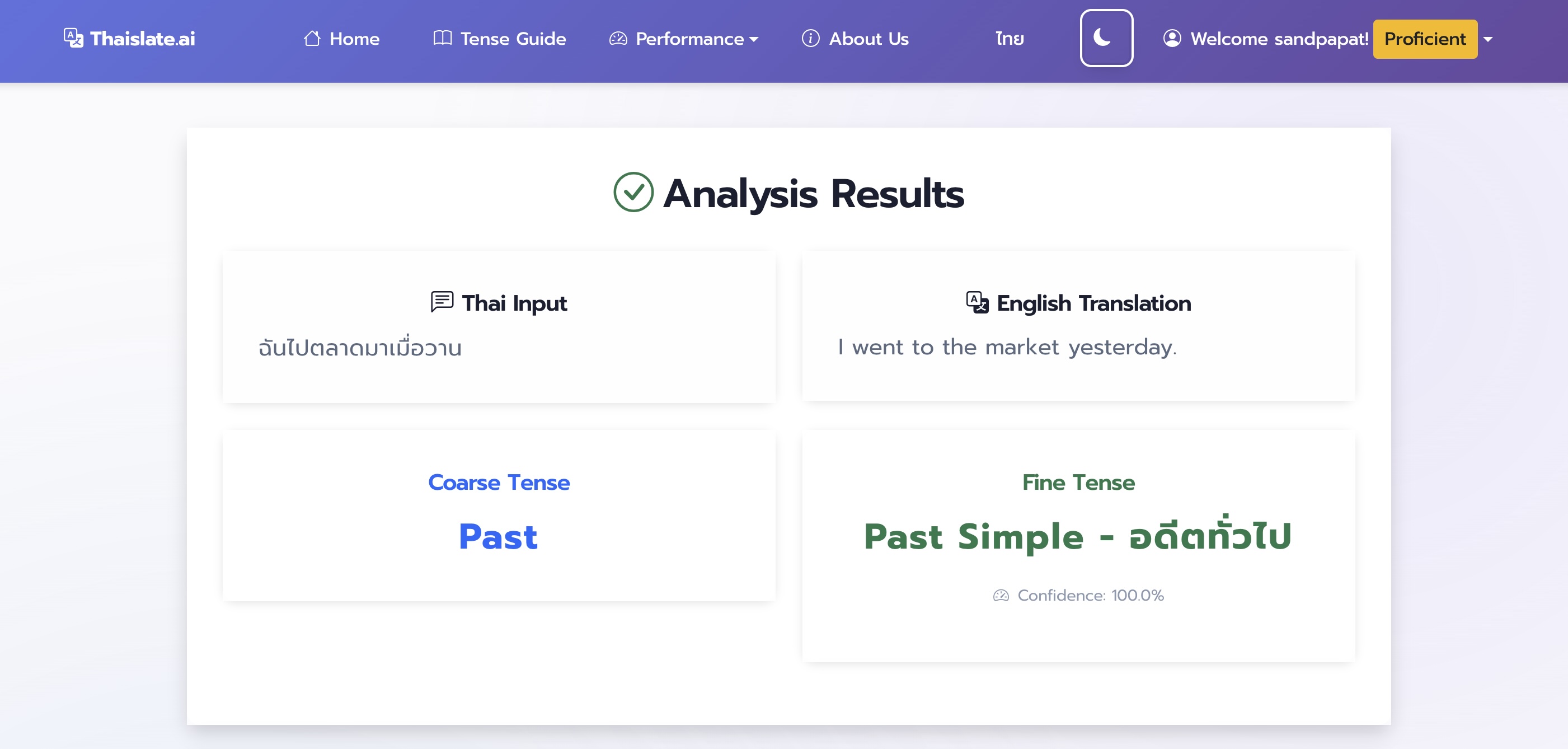
Light Mode
Clean, bright interface for daytime learning sessions

Dark Mode
Eye-friendly design for extended study periods
Adaptive Visual Features
Automatic Theme Detection
The interface supports both light and dark themes with automatic detection of system preferences, reducing eye strain during extended learning sessions. The theme system modifies over 50 CSS variables to ensure consistent visual presentation.
Thai Typography Optimization
Specialized font stacks prioritizing Prompt and Sarabun fonts, specifically designed for Thai readability. The typography system adjusts line heights, letter spacing, and font weights to accommodate Thai characters including tone marks and vowel combinations.
Responsive Mobile Design
Mobile design led feature requests not because learners prefer phones over computers, but because it signals anywhere-anytime learning integration into busy professional lives.
Three-Section Educational Structure
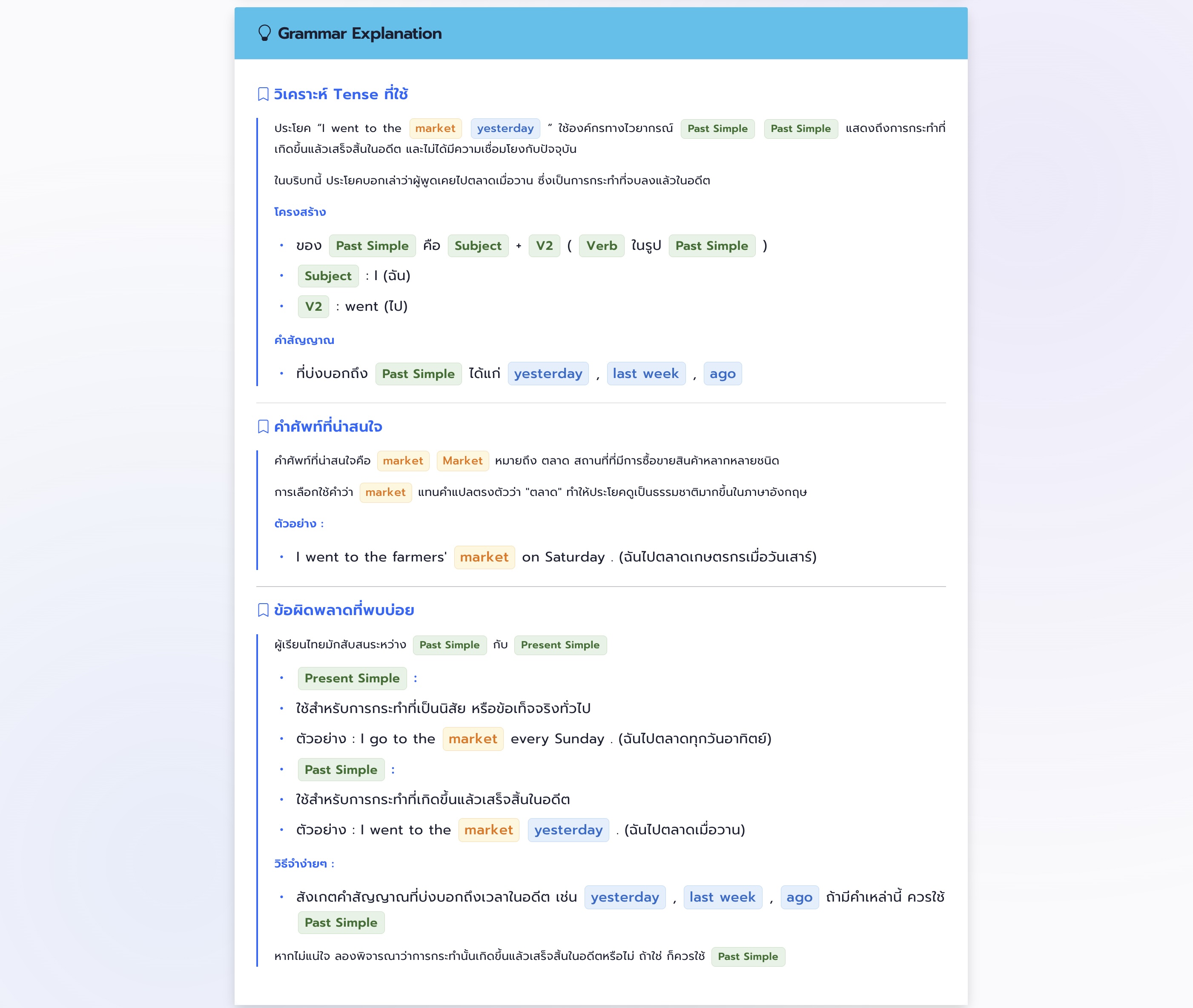
The explanation structure was directly informed by user study findings, where learners expressed specific needs for understanding English grammar. The three core components address specific user needs identified in the survey:
Structured Learning Components
1. Tense Analysis
Clear explanation of how the tense is formed grammatically and its usage context, addressing the primary grammar learning challenge identified by users.
2. Vocabulary Focus
Key terms and translation choices from the analyzed sentence, addressing the 22.1% of participants who struggled with vocabulary alongside grammar.
3. Common Mistakes
Addresses typical errors Thai learners make with specific tenses, focusing on error prevention rather than just correction.
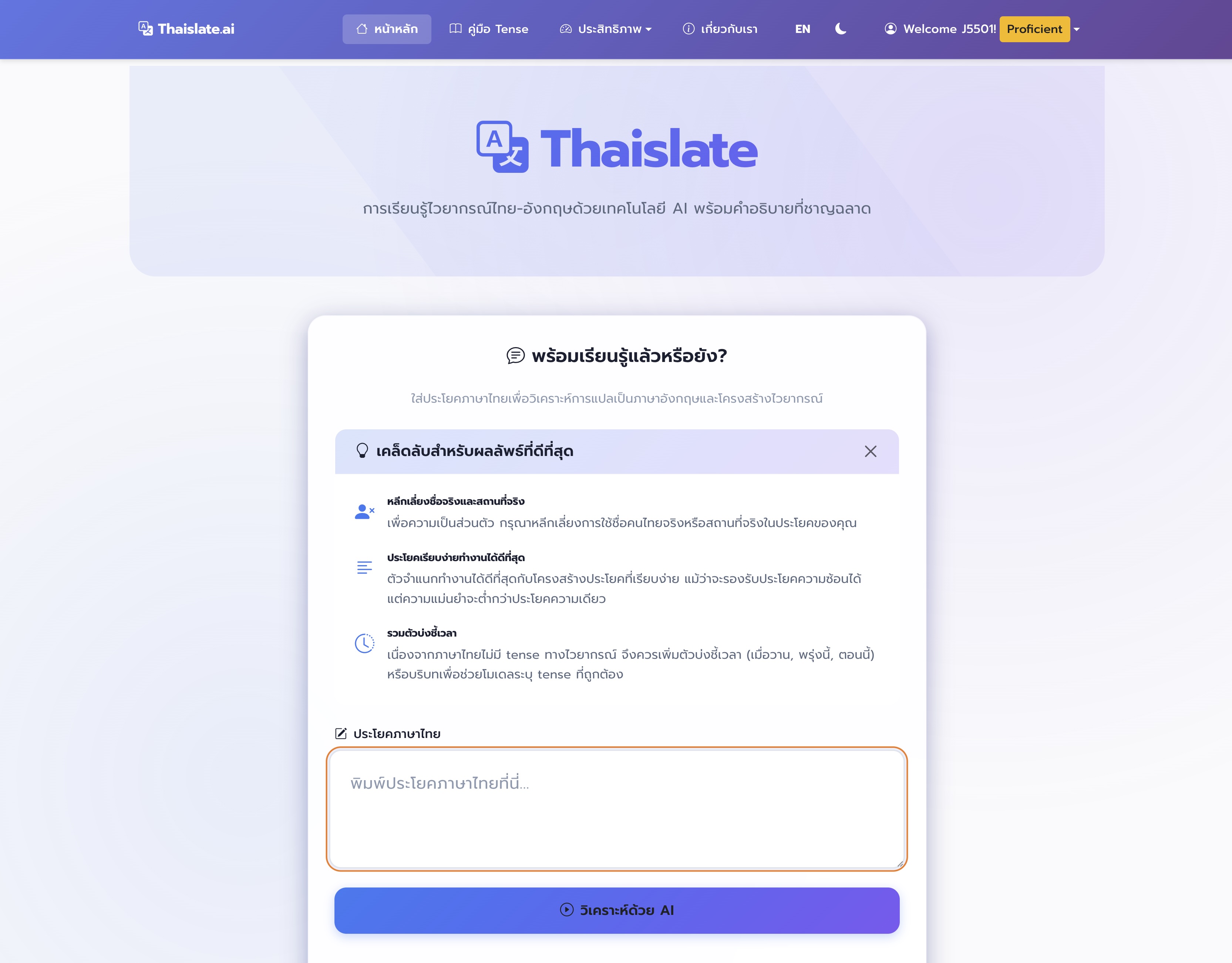
Bilingual Interface Support
Seamless Thai-English language switching for optimal accessibility
User-Centered Interaction Design
Thoughtful Interaction Elements
Privacy-Preserving Authentication
5-digit pseudocode system enables user participation without requiring personal identification. Participants generate unique codes using personal information that cannot be traced back to individuals, ensuring complete anonymity while allowing consistent tracking.
Real-Time Validation Feedback
Immediate feedback for issues such as insufficient Thai content, excessive length, or inappropriate material. The interface includes keyboard shortcuts (Alt+S for submission, Escape for clearing) that enhance efficiency for frequent users.
Processing Transparency
Simple countdown timer provides visual feedback while the system analyzes input, managing user expectations about processing time and maintaining engagement during analysis.
Copy-Friendly Results
Each section can be independently copied to clipboard for note-taking purposes, supporting learners' study workflow and information retention.
Comprehensive Feedback System
The platform implements a sophisticated feedback mechanism that balances research data collection with user experience:
Four-Dimensional Rating System
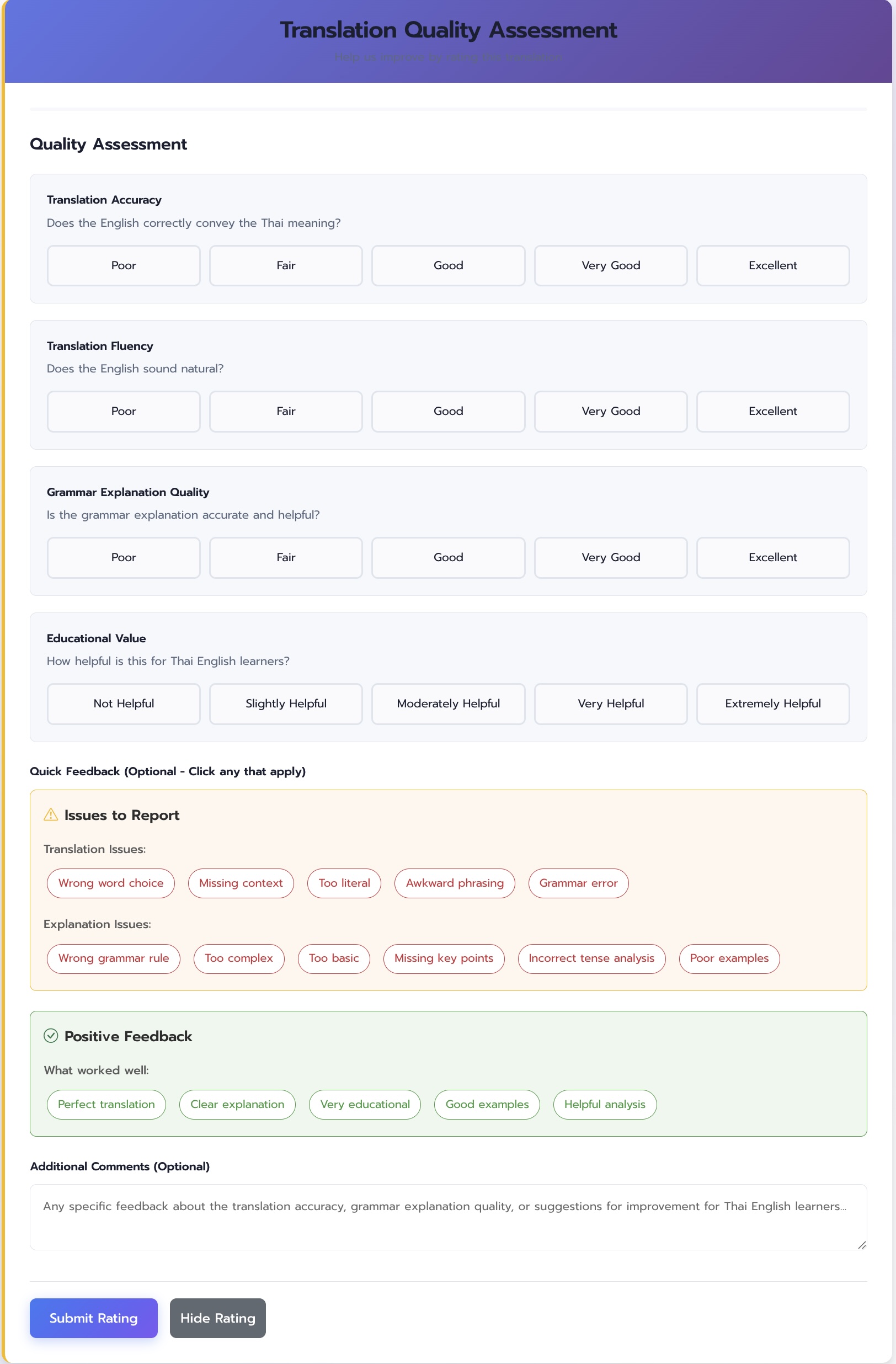
Structured Feedback Collection
Tag-based system reduces friction while providing actionable insights
Analytics and Transparency
The web application includes detailed analytics interfaces that provide transparency about system capabilities and support learner engagement:
Performance Transparency Features
Personal Usage Statistics
Individual users can access personalized statistics showing their usage patterns, including total translations performed and average ratings provided.
System Performance Dashboard
Real-time metrics including average response times, component availability, and processing success rates, building user trust through transparency.
Educational Resource Integration
Detailed Tense Guide provides reference material for all 24 grammatical tenses, supporting self-directed learning and helping users understand underlying concepts.
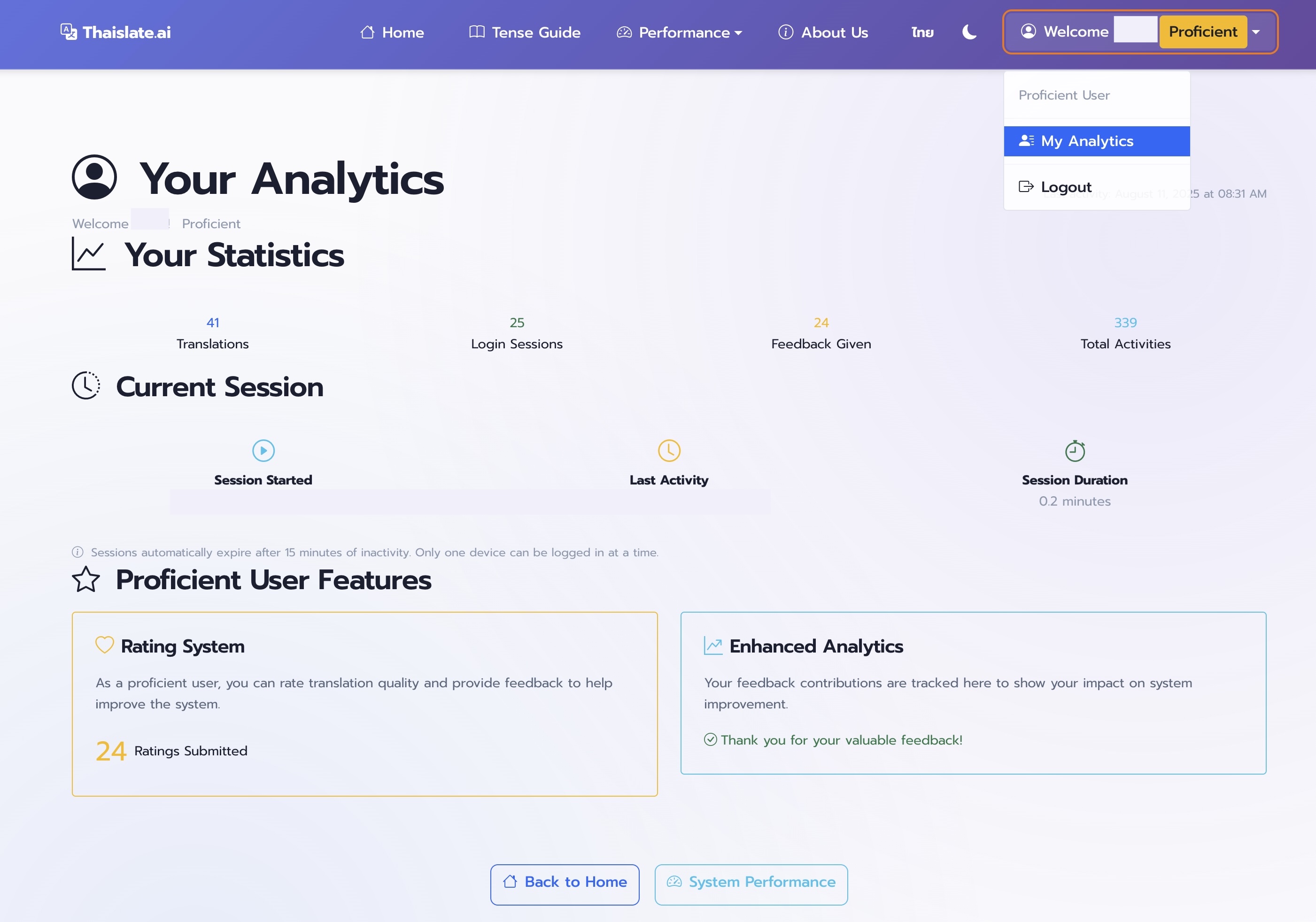
Personal Learning Analytics
Transparent usage metrics help learners track their engagement
Validation Through User Testing
Design Success Metrics
Through testing with 38 Thai learners providing 474 ratings, we achieved a 4.33/5 satisfaction rating for explanation quality. The disconnect between technical performance (74% pipeline accuracy) and user satisfaction validates our design approach: learners value clear, accessible explanations even when the underlying technology isn't perfect.
Design Impact on Educational Technology
The UX design of Thaislate demonstrates several key principles for educational technology:
- Research-Driven Design: Every interface decision grounded in empirical user data
- Cultural Sensitivity: Thai typography and bilingual support as core features, not afterthoughts
- Transparency Over Perfection: Honest system communication builds more trust than hidden complexity
- Learning-Centered Feedback: Turning user feedback into learning opportunities rather than just data collection
- Professional Context Awareness: Design that fits into busy working lives rather than requiring dedicated study time
Continue the Design Journey
Explore more aspects of the system: